
 |
|

get set up with
sportsense.
Steps 1 to 5 get GSMBC mentors and coaches set up, and the Course Workflow tab covers running a course in the field.
Download &
Create Account.
Get sportsense on your phone and create your account.
1.1
Download & Sign Up
- Download sportsense from the App Store (iOS) or Google Play (Android) using the buttons below.
- Open the app and tap Sign Up.
- Enter your name, email address, and a password.
- Verify your email if prompted, then log in.
- You're now set up with an account and ready to create a feed.
Create a
Feed.
Feeds are private groups where photos, videos, and feedback are shared between coaches and athletes.
2.1
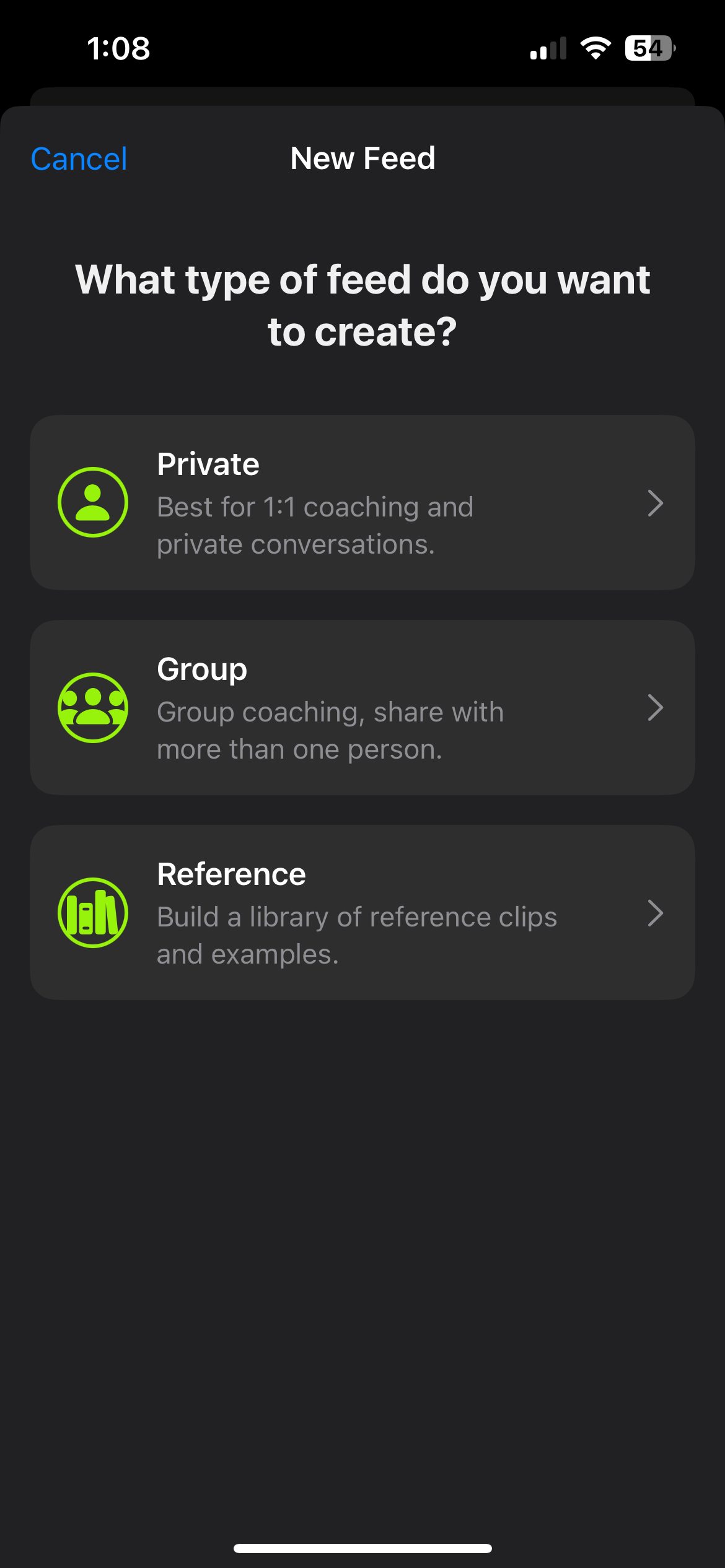
Create a New Feed
- Tap the Share tab at the bottom of the app (the rightmost icon).
- Tap the + button in the top right corner to create a new feed.
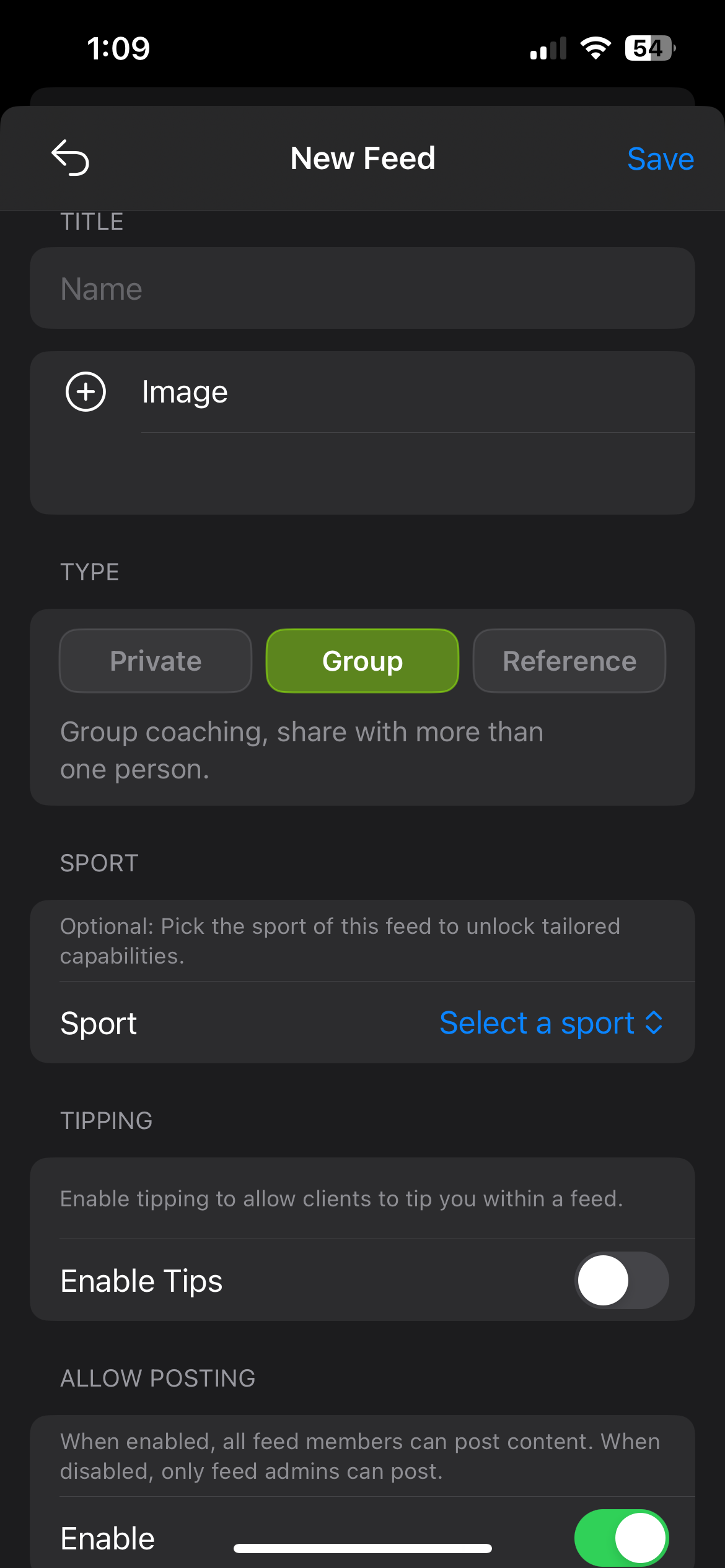
- Give your feed a name (e.g. your name, or "GSMBC - [Your Name]").
- Optionally add a cover image and set the sport to Mountain Biking.
- Tap Create to finish setting up the feed.

Add the
Crew.
Invite your course members to the feed. The crew is everyone on your course. They're who you'll share and communicate with in the feed.
3.1
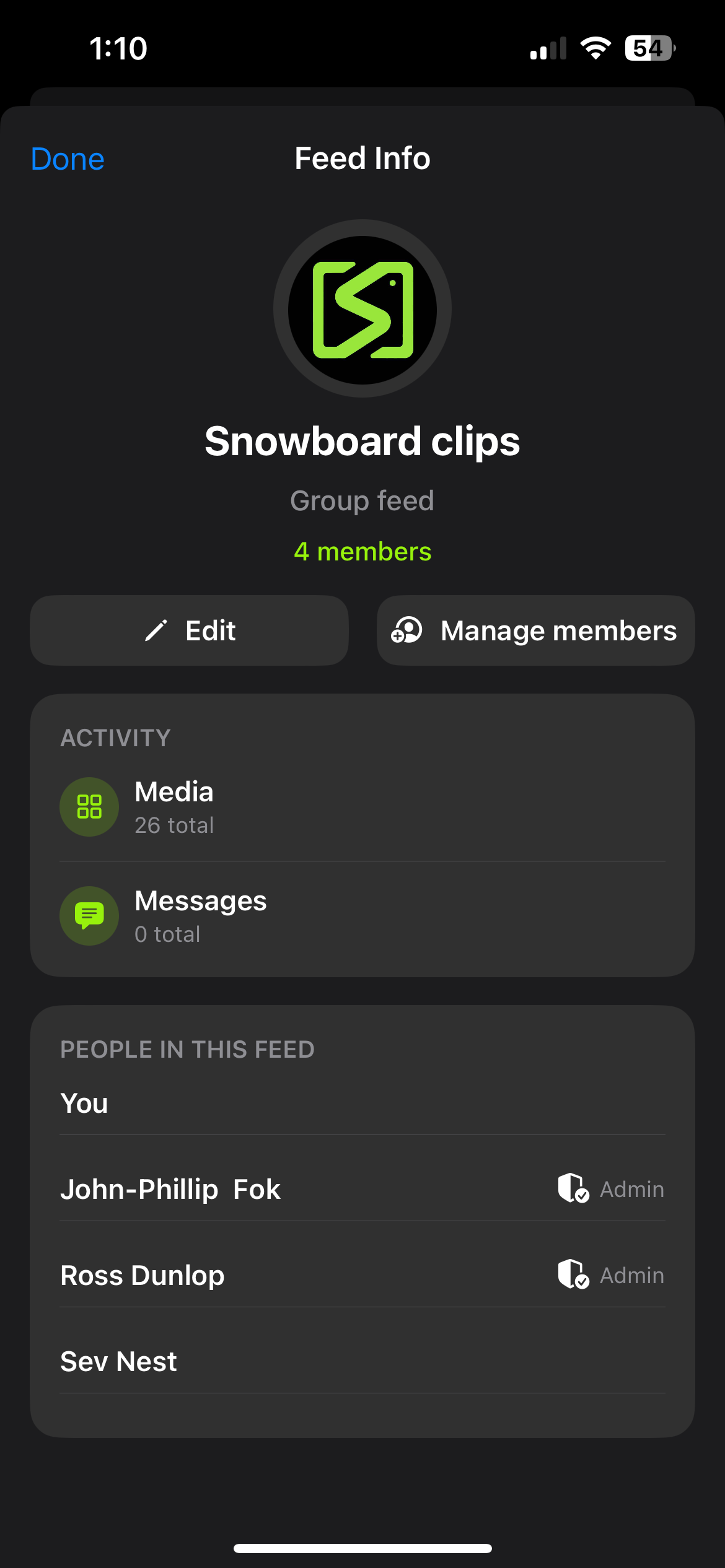
Invite Your Crew
How you invite depends on whether they already have sportsense.
If they already have the app:
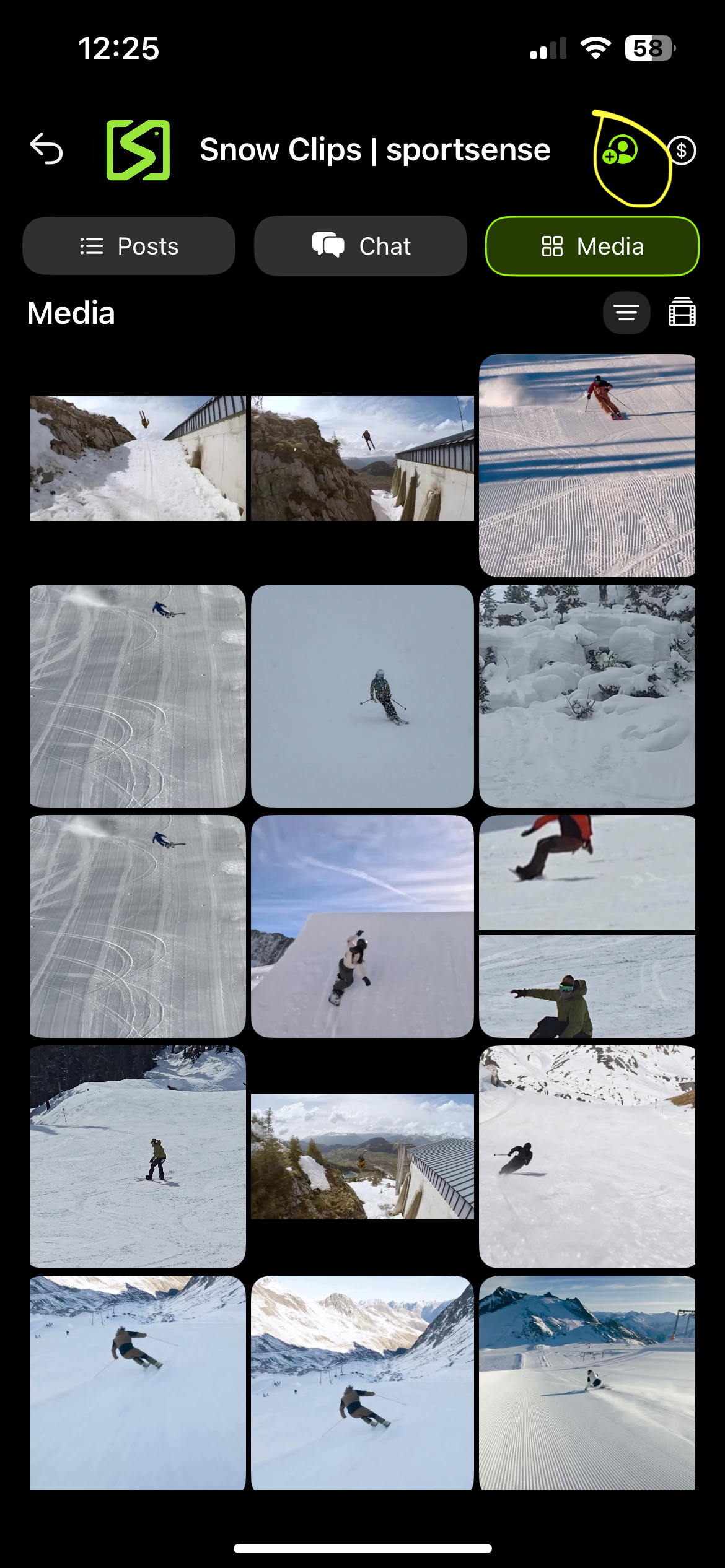
- Open the feed you created and tap the feed title at the top to open feed settings.
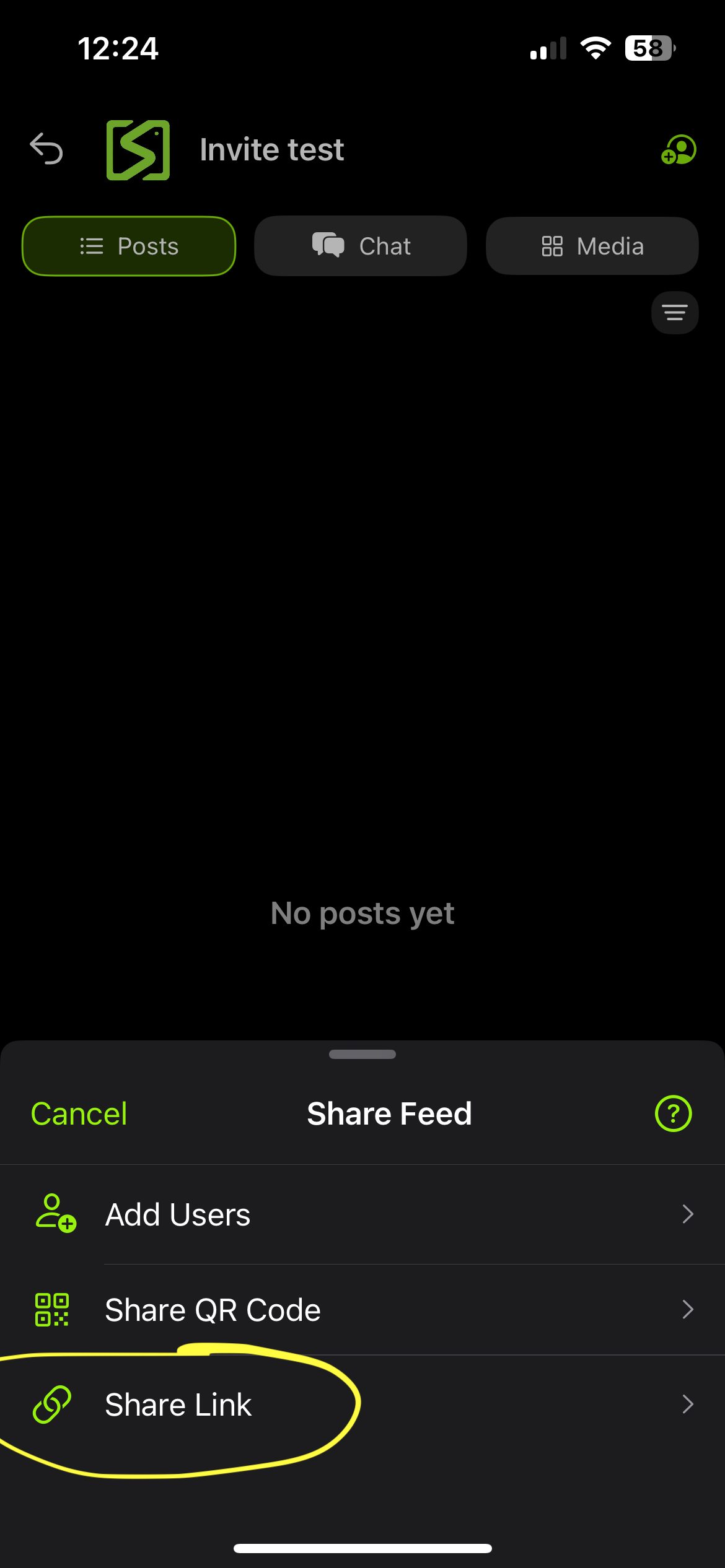
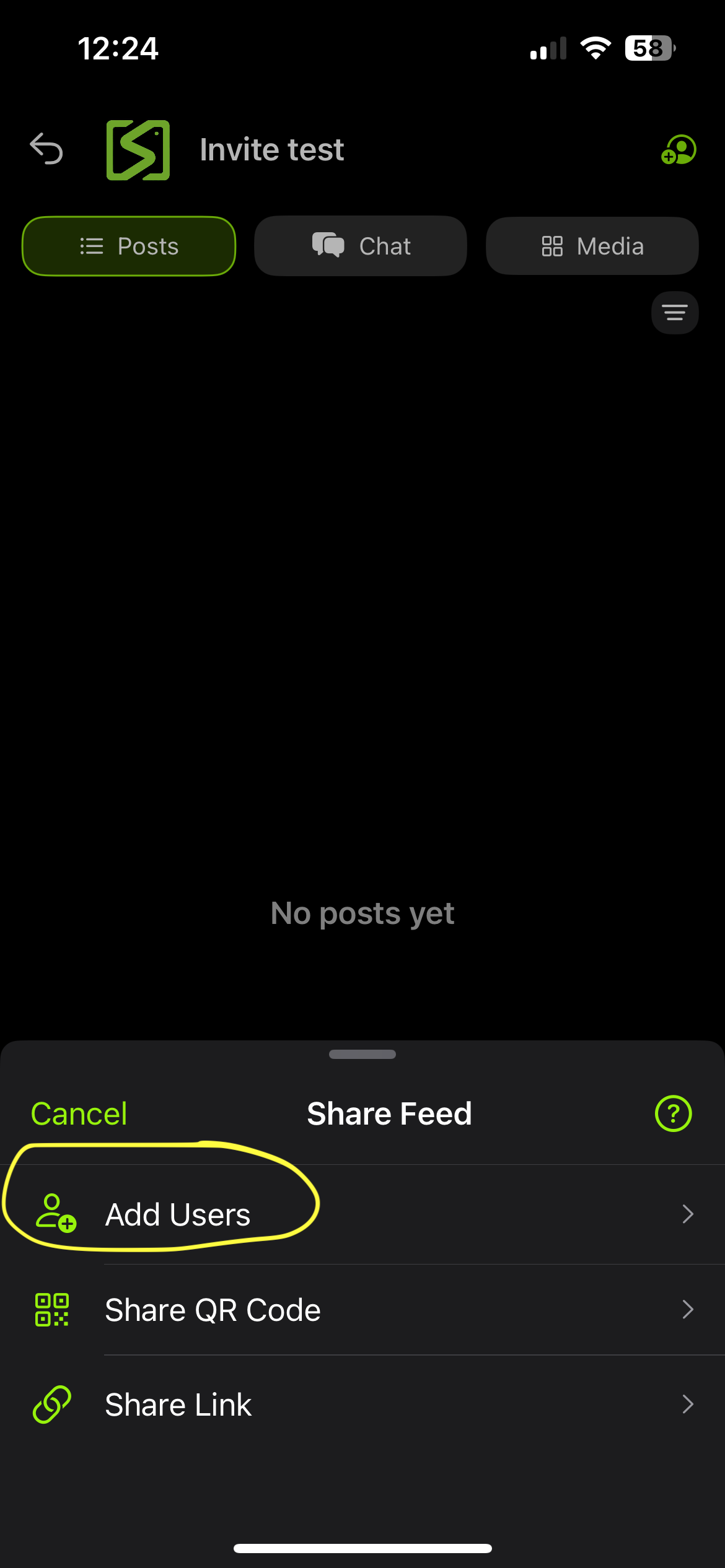
- Tap Invite or Add Member.
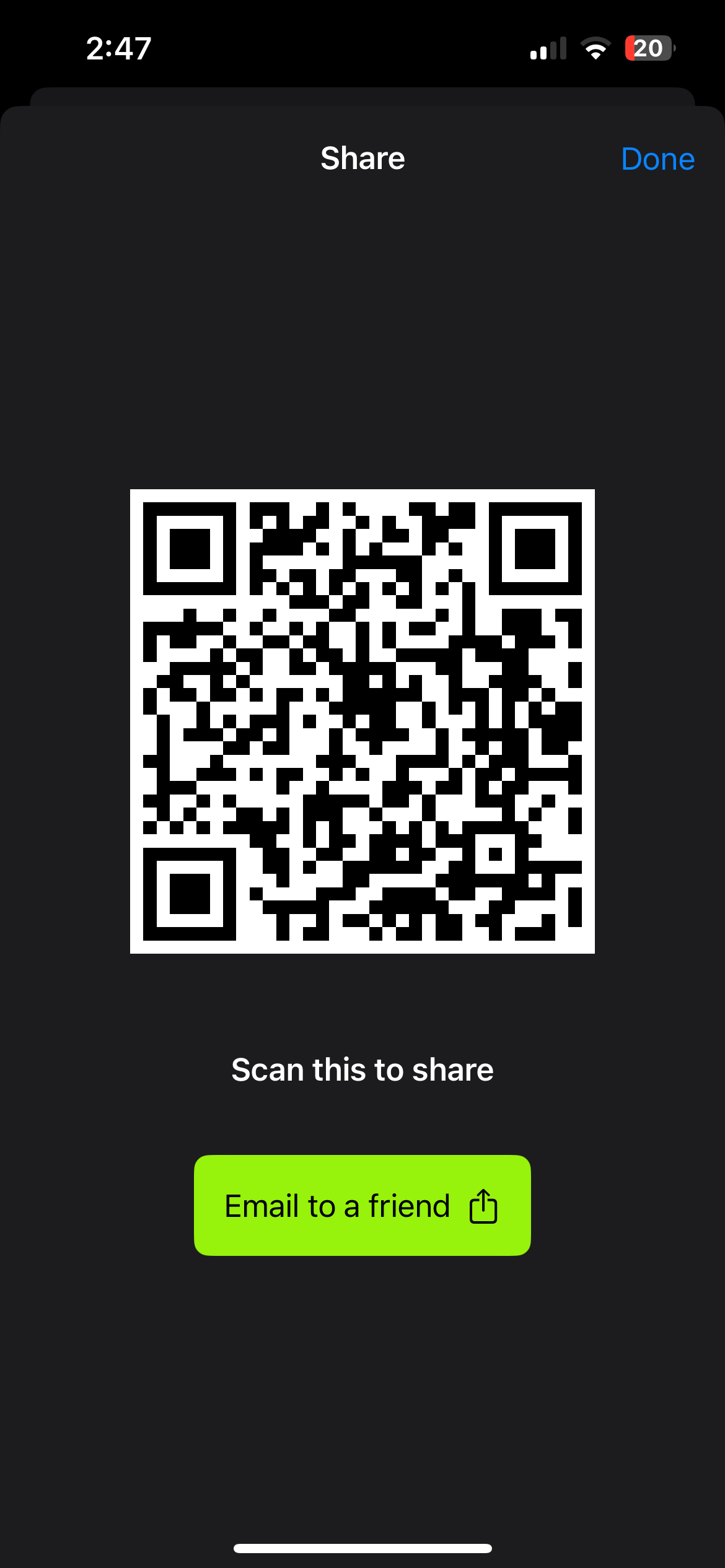
- Use the QR code to let them scan and join instantly, or copy the invite link and share it directly.
If they haven't downloaded the app yet:
- Open feed settings and tap Invite or Add Member.
- Select the email option.
- Enter their email address and send the invite. They'll receive a link to download the app and join the feed.
Start
Sharing.
Add any videos or photos taken on course as a way to check out your riding across the course.
4.1
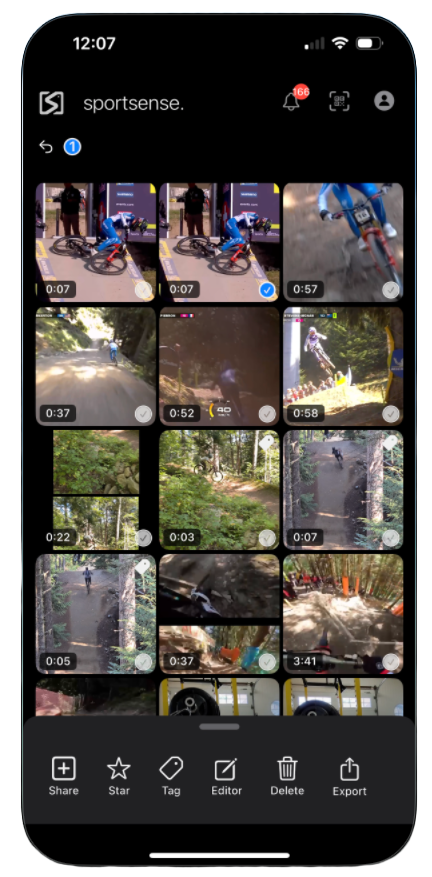
Add Photos & Videos
Once your feed is set up and the crew has been added, you can start putting content into the app.
- Open your feed and tap the chat button.
- Tap the attach button in the bottom right to add photos or videos from your camera roll.
- You can also record directly using the sportsense camera. Select your feed in the Posting To selector at the top of the camera, and every clip you record posts straight to it.
- Optionally add a description or tag users when posting.
- Tap Post to share to the feed.


For Mentors
& Coaches.
Once you're set up, here are some of the deeper features in sportsense that help you coach more effectively.
5.1
Voice Tagging
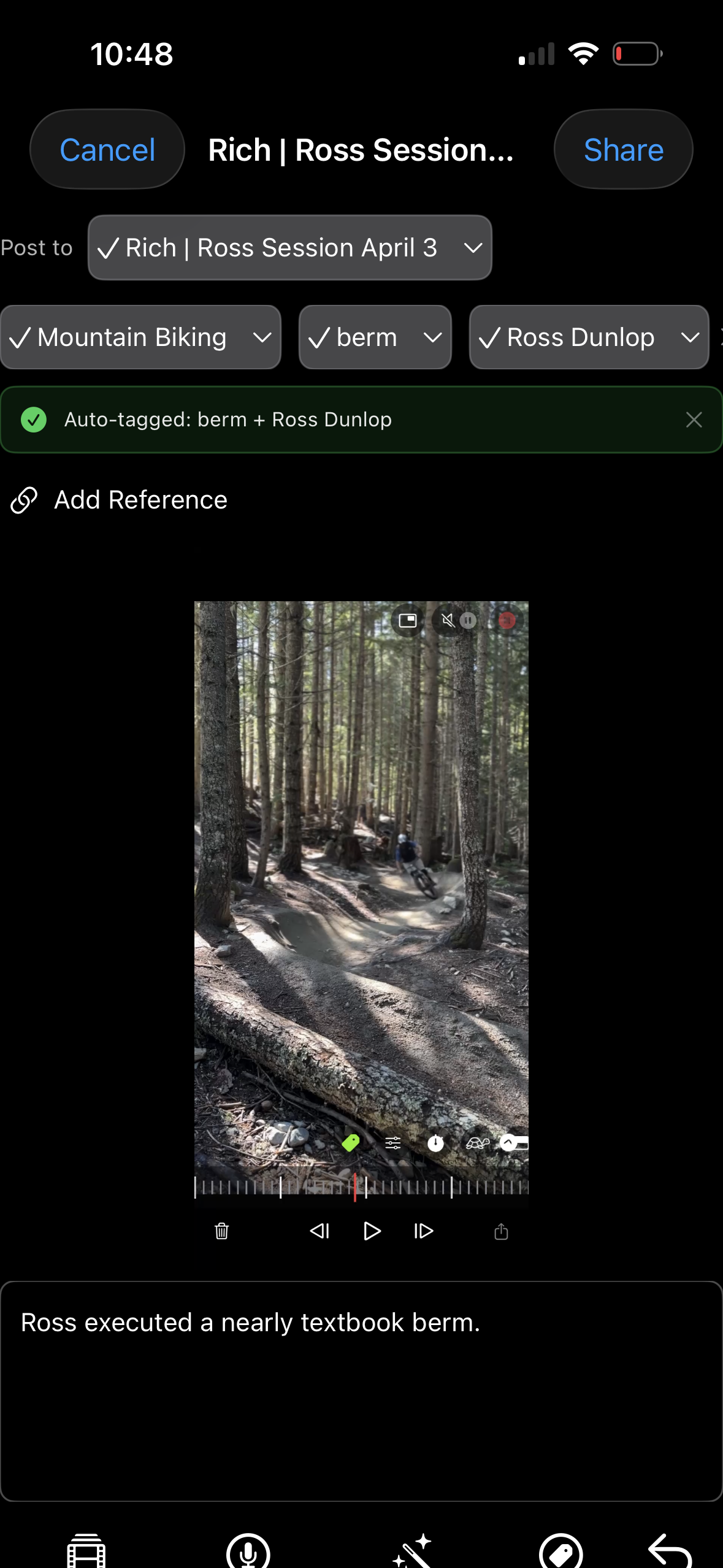
Narrate while you film, and sportsense auto-tags the actions and users straight from your audio, with nothing to type afterwards.
- Record a video using the sportsense camera while calling out rider names and what they're doing.
- When you post the video, the app transcribes your voice and creates tags automatically.
- Tags make it easy for riders to find their clips and for you to reference specific moments later.
5.2
Adding Feedback to Posts
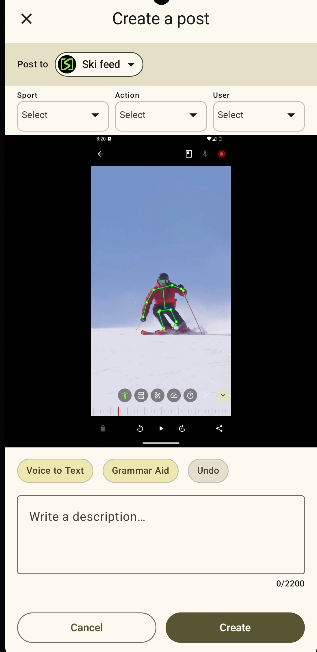
When posting a video to the feed, you can select Add Feedback to layer coaching notes onto the video before sharing it.
- Select Add Feedback when posting a video to a feed.
- Make final edits to the video and write or transcribe a description.
- The app can auto-tag the sport if the feed already has a sport set.
- Post it to the feed for the crew to see with your coaching notes attached.
5.3
Field Feedback via Screen Recording
Giving in-person feedback? Screen record it in the app, and sportsense files it to the candidate's feed with a transcript and summary.
- While giving feedback in the analyzer, press the screen record button to capture your screen and voice.
- Stop the recording when you are done, and the clip is saved into the feed automatically.
- The app transcribes the audio and summarises the key points as text alongside the video.
- The candidate sees the full clip and the written summary in their feed for later review.
5.4
Get Your Videos Featured on Instagram
As a mentor, you can get standout videos from your course featured on the GSMBC Instagram. Just add rich@sportsensetech.com to your feed, which gives Rich access to the content you're capturing on course so the best clips can be shared with the wider community.
Course
Workflow.
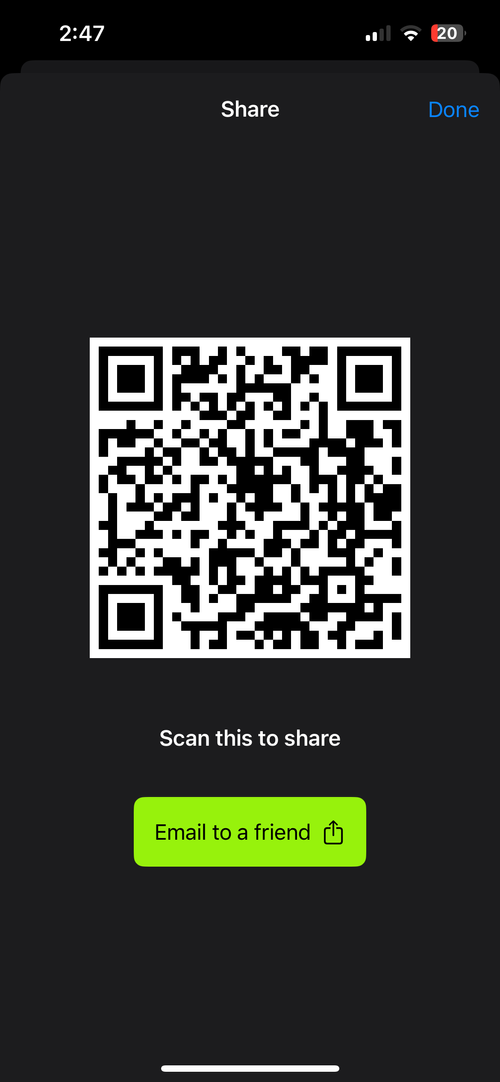
Add your athletes
Add every athlete on the course into the feed. For the best experience they should download sportsense, which is always free for athletes to view their feeds.
Film and describe
As you film, talk over what you are seeing, and that spoken feedback is automatically transcribed when you share it in the next step.
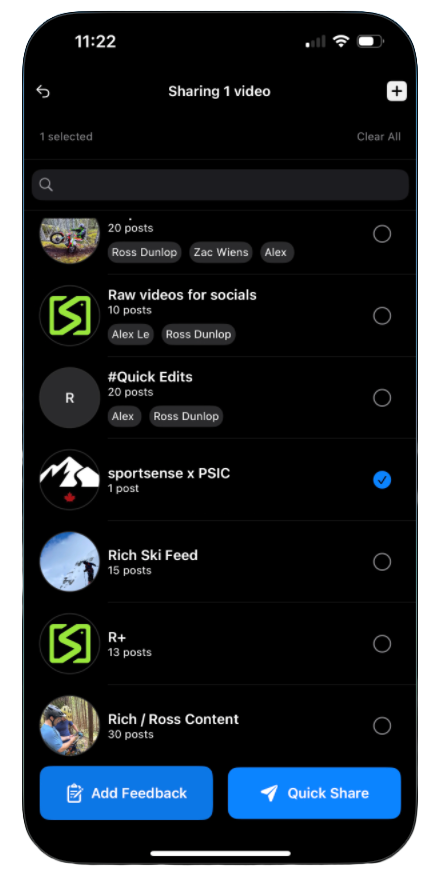
Share it
Share it into the feed. sportsense tags the rider and the skill, and transcribes your feedback.
Set the feed up, get everyone in, then run the loop above all season.
- Add every athlete fast. Drop the feed invite link in the welcome email so they join before they arrive, and show the feed QR at kickoff for anyone who still needs to download sportsense or join.
- Prefer to review later? Capture your clips on the hill, then analyze and share them after. Same workflow, just shifted in time.
These are the skill tags sportsense can apply to a clip, so you know what to call out as you film.
|
Free to Start